
Quickly search, switch, and manage your browser tabs with keyboard shortcuts. Boost your productivity in multi-tab browsing environments.
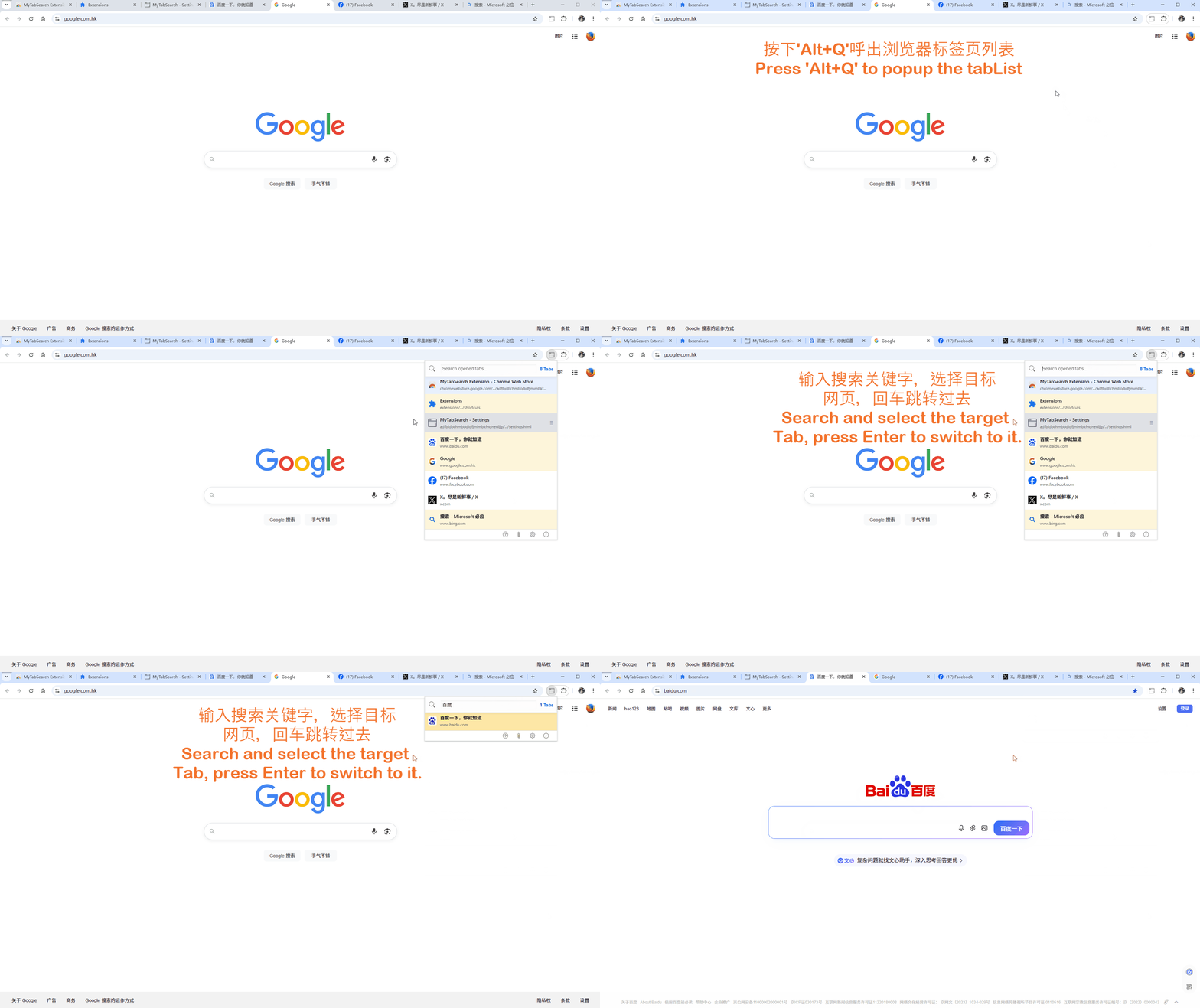
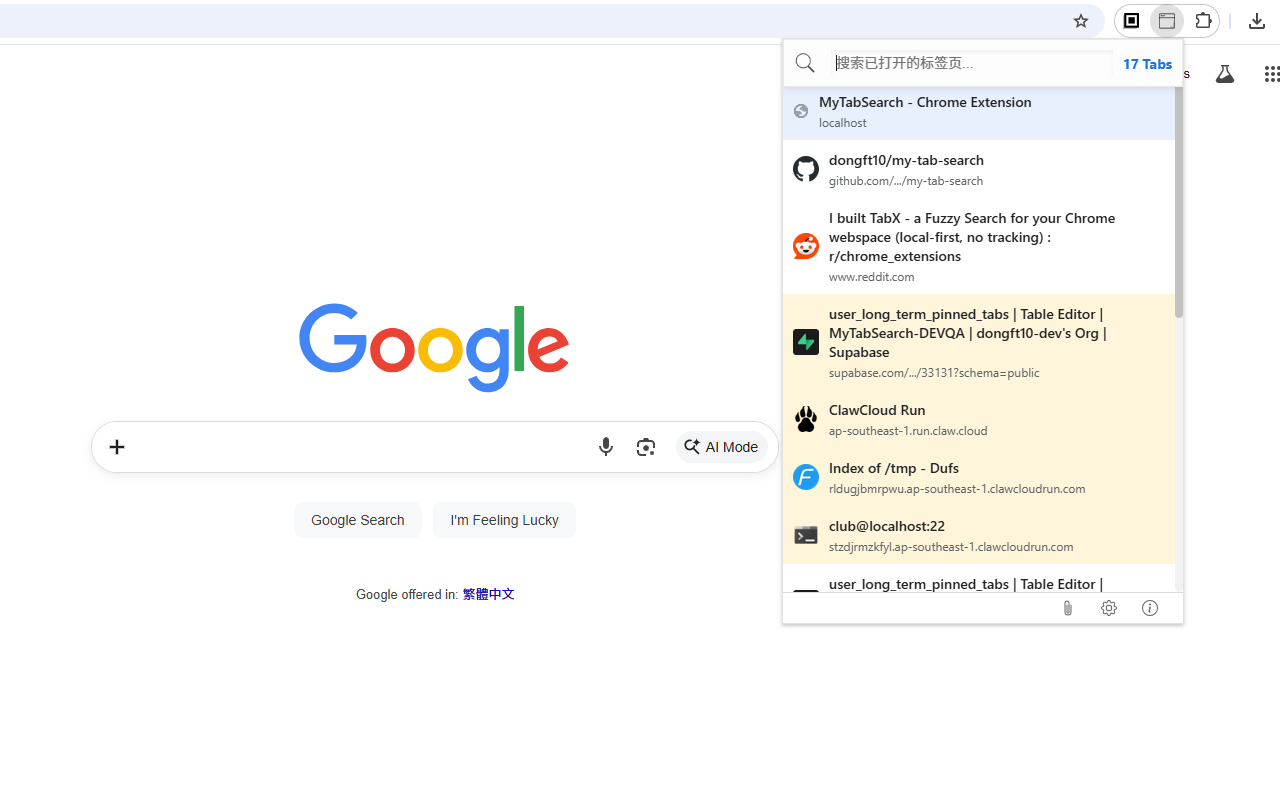
Search and filter tabs by title instantly. Find what you need in seconds.
Use arrow keys to navigate through search results. No mouse needed.
Press Enter to switch to selected tab instantly. Save time every day.
Quickly switch to previous tab with Alt+W.
Bilingual support for English and Chinese. More languages coming soon.
Display website icons for quick identification. Visual clarity at a glance.
Remembers your last active tab state. Seamless experience.
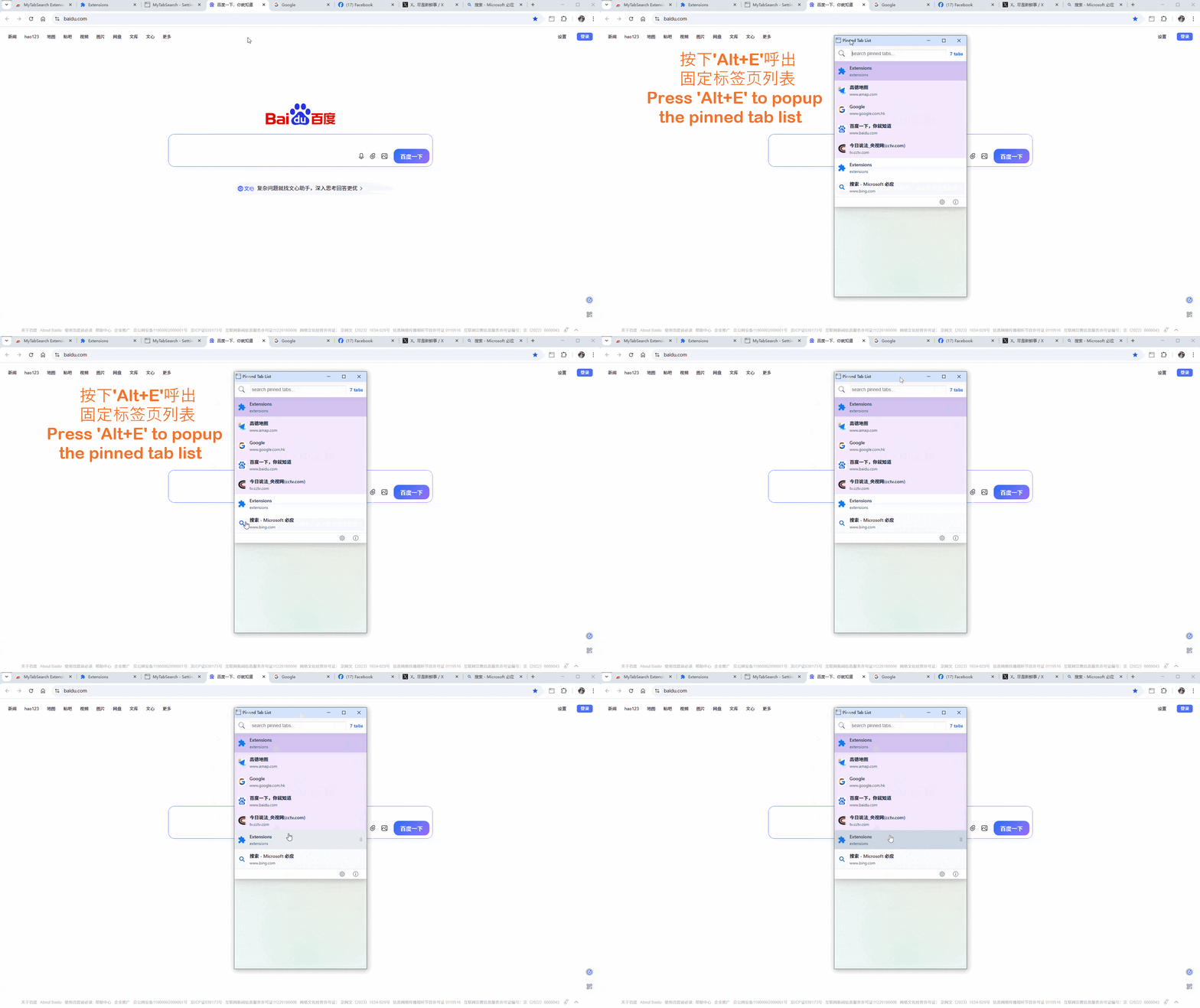
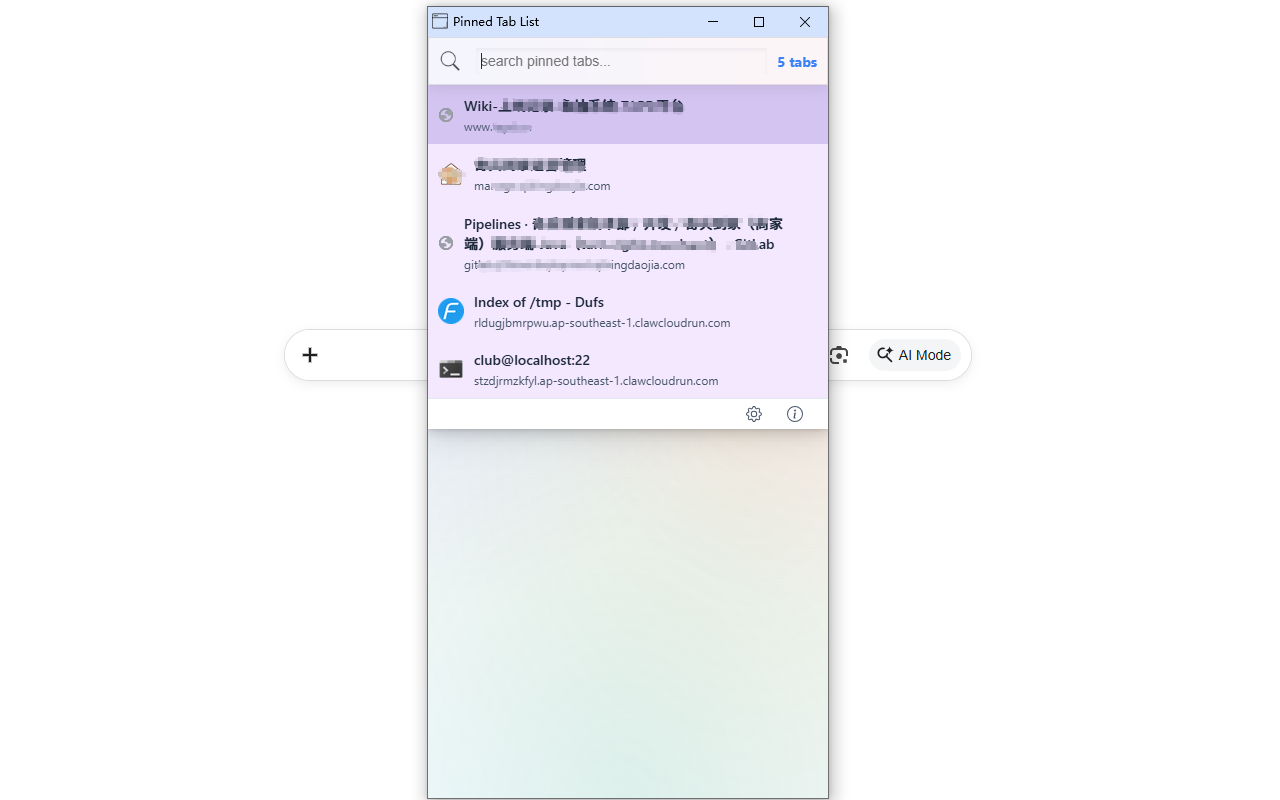
Pin favorite tabs for permanent access. Press Alt+E to open anytime.
Visit Chrome Web Store, search for "MyTabSearch", and click "Add to Chrome".
Download CRX file from Releases page and drag it into your browser's extensions page.
Enable developer mode in chrome://extensions/ and load unpacked extension folder.
If you're tired of clicking through dozens of tabs to find the one you need, MyTabSearch is here to help. With lightning-fast search and intuitive keyboard shortcuts, you'll never lose track of your tabs again.
It's very convenient to perform operations such as searching, locating, selecting, switching, and deleting tabs through shortcut keys. Without holding the mouse, and the operation is smooth and seamless. It's very suitable for developers, researchers, and anyone who works with multiple tabs simultaneously.
Quick Toggle: Press Alt+W to instantly switch back to your previously active tab. No need to search or navigate through tabs manually.
Smart History: The extension remembers your last active tab state, allowing you to seamlessly toggle between two frequently used tabs with a single keystroke. Perfect for comparing information or working across multiple resources.
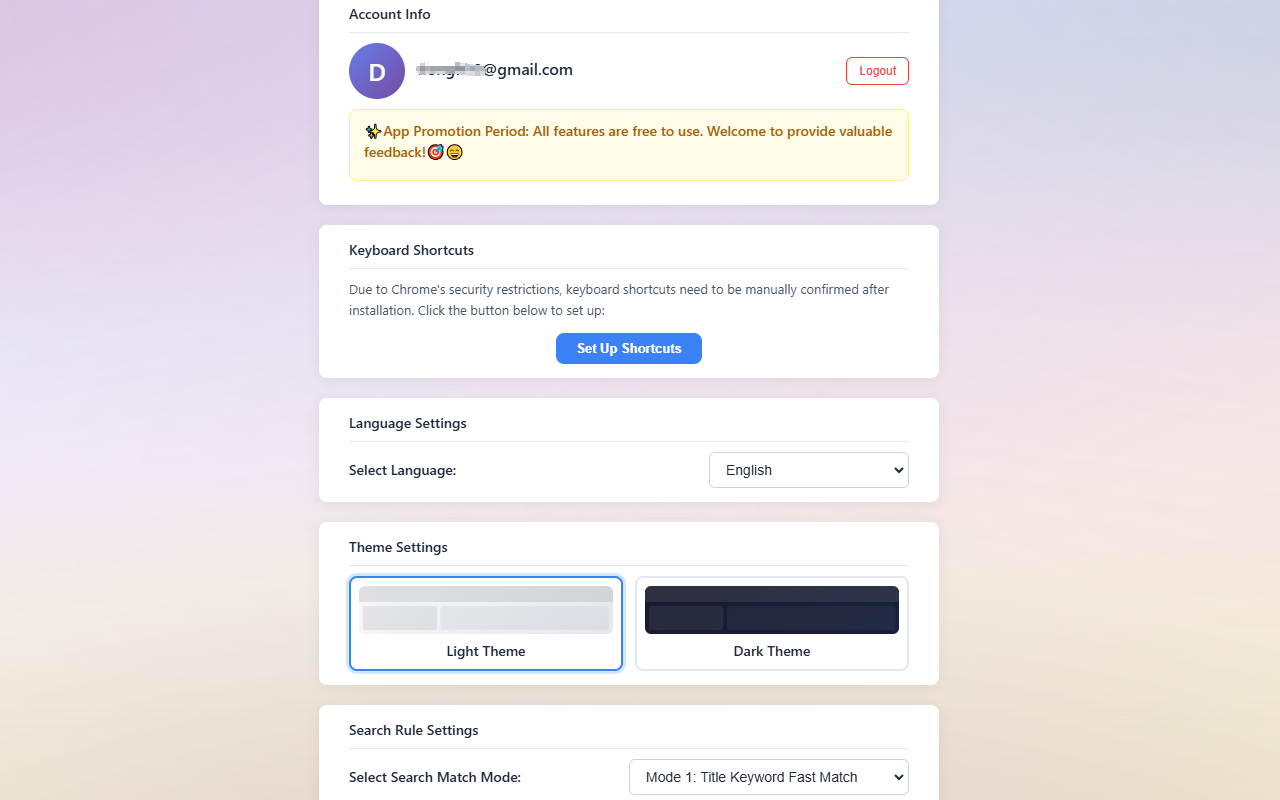
Warm Reminder: If you are using Chrome or Edge, the default shortcut key (Alt+Q) should not conflict with your browser's default hotkeys, but if you encounter any issues, please go to your browser's extension shortcut settings and adjust them (copy "chrome://extensions/shortcuts" into your browser's address bar and press Enter; if you are using Edge, it is "edge://extensions/shortcuts"), and then you can enjoy using the extension's features.
Persistent Access: Unlike Chrome's built-in pinned tabs that disappear when you close the browser, MyTabSearch's long-term pinned tabs persist across sessions. Your favorite work tools, documentation, and frequently visited sites stay exactly where you need them.
Quick Access Anytime: Simply press Alt+E to instantly open your pinned tabs list. No more hunting through dozens of tabs or restoring closed windows. Your important tabs are always one shortcut away.
Smart Management: Organize your pinned tabs with built-in search functionality. Each pinned tab displays its favicon for quick visual identification. Close a pinned tab without losing it - it automatically reopens when you need it next time.
Pro Tip: Pin your most-used tabs like email, calendar, and project management tools. They'll be waiting for you every time you open a new browser window, boosting your daily productivity workflow.